Kai Home
Car display
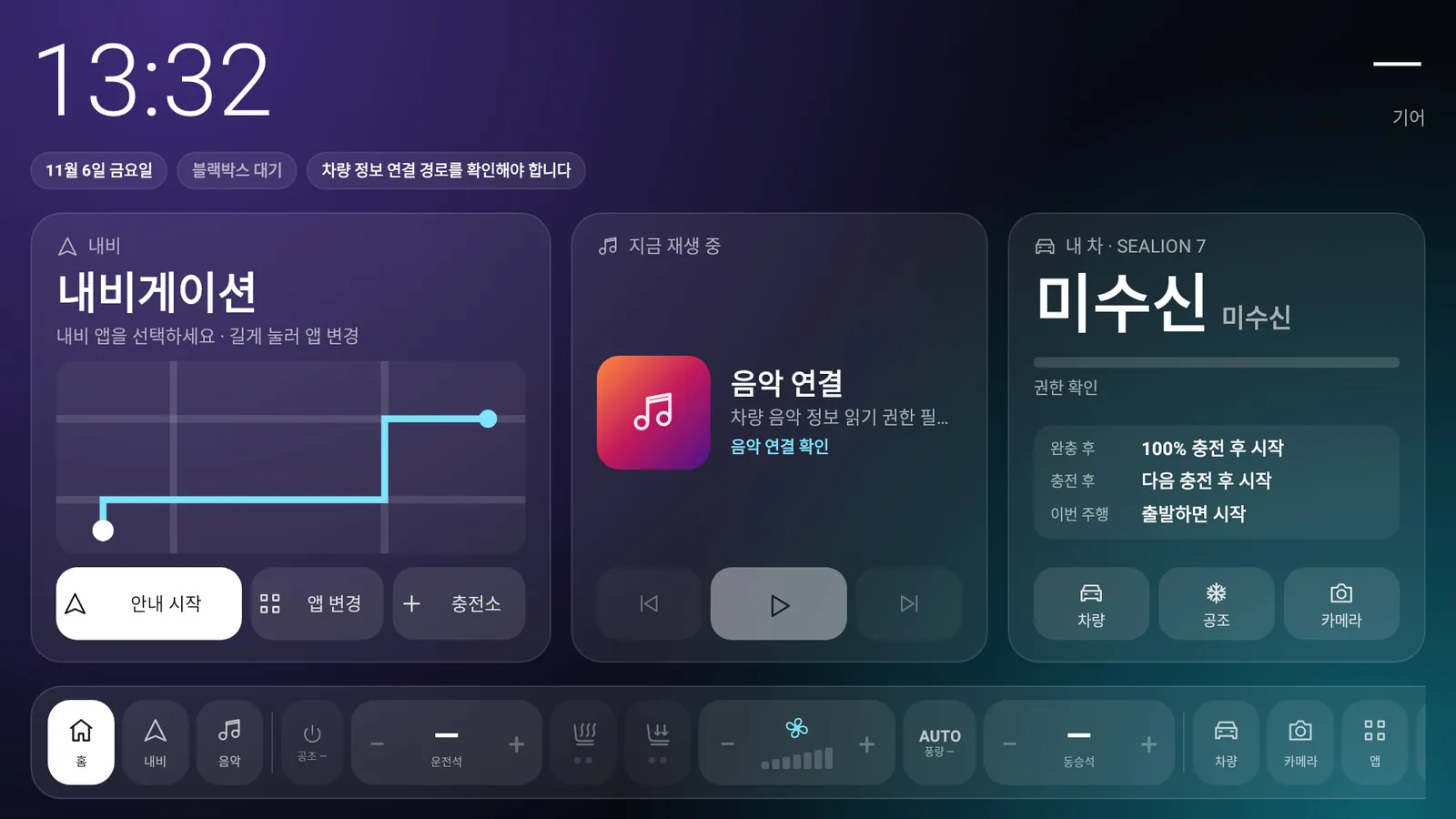
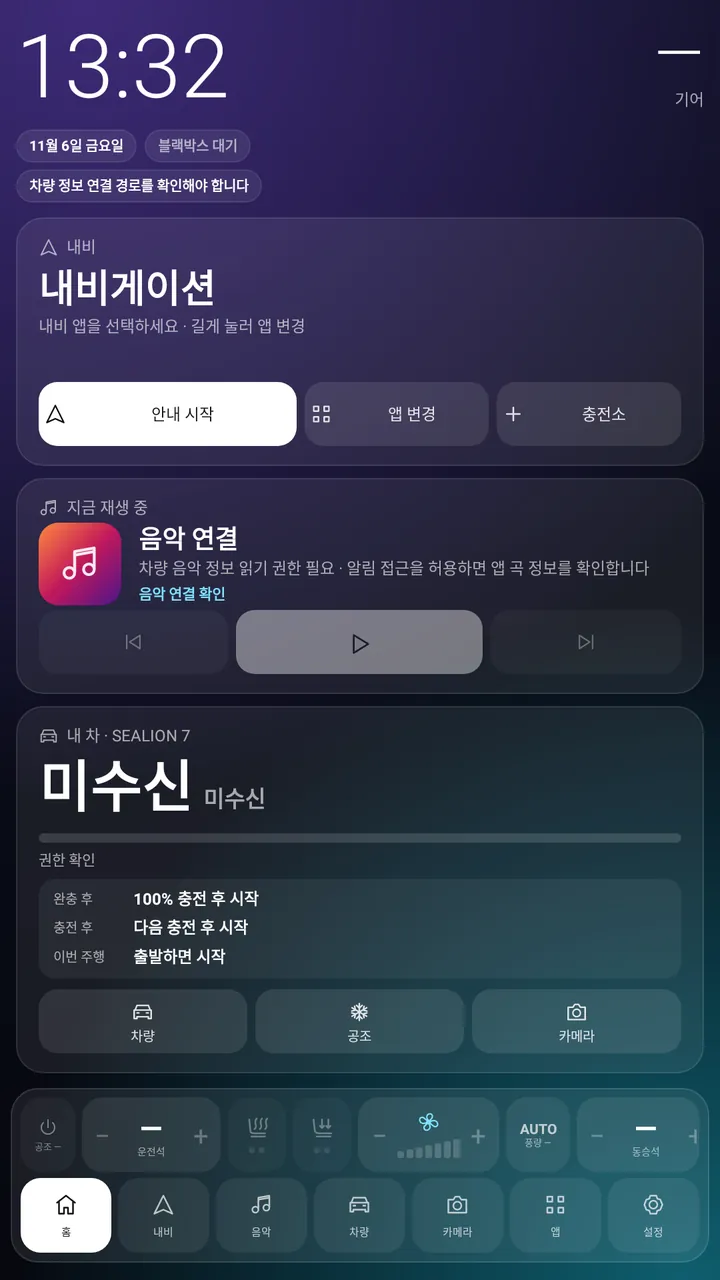
A home launcher in place of the stock screen, with navigation, music, climate and cameras on one screen.
 KaiLauncher
Kai is three apps for the SEALION 7: Kai Home on the car display, Kai Link on your phone and Kai Watch on your wrist.
A personal project, not an official BYD app · Android 11 or later
Themes
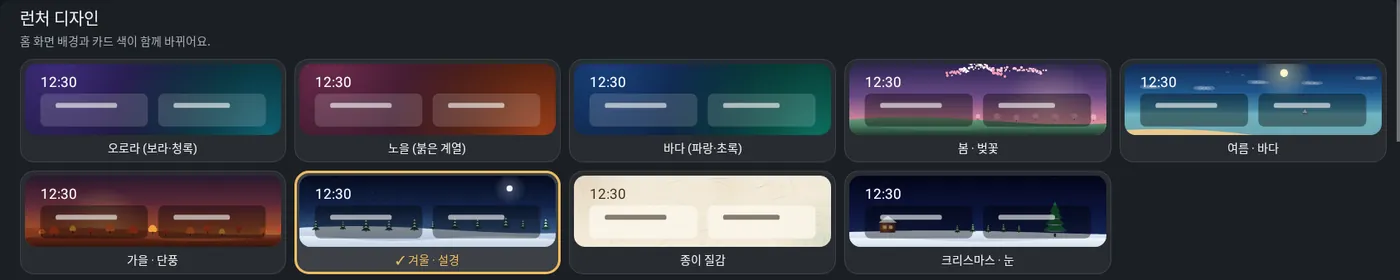
Twelve themes change the background and the card colours together. Snow, petals and leaves really move, and the train, subway and bus themes run with your car's speed and pull into a station or stop when you stop.
Screens
Pick a speedometer design for the cluster, or fill the cluster with your navigation map.
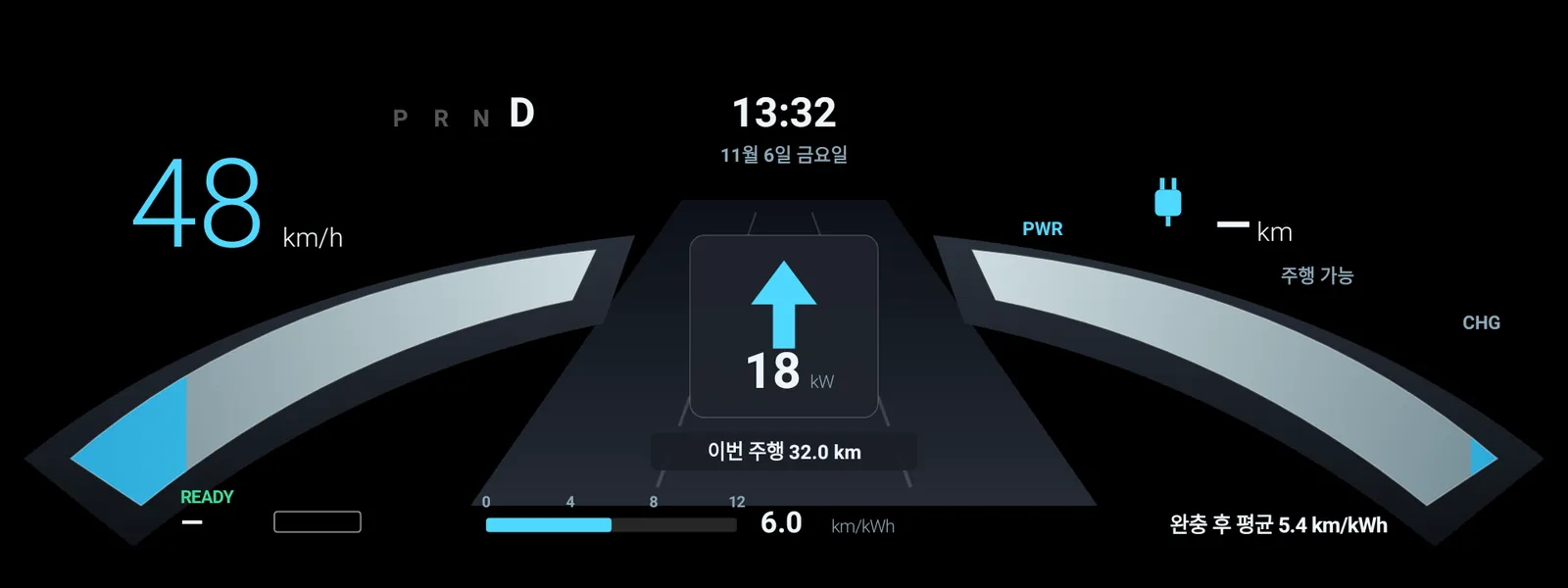
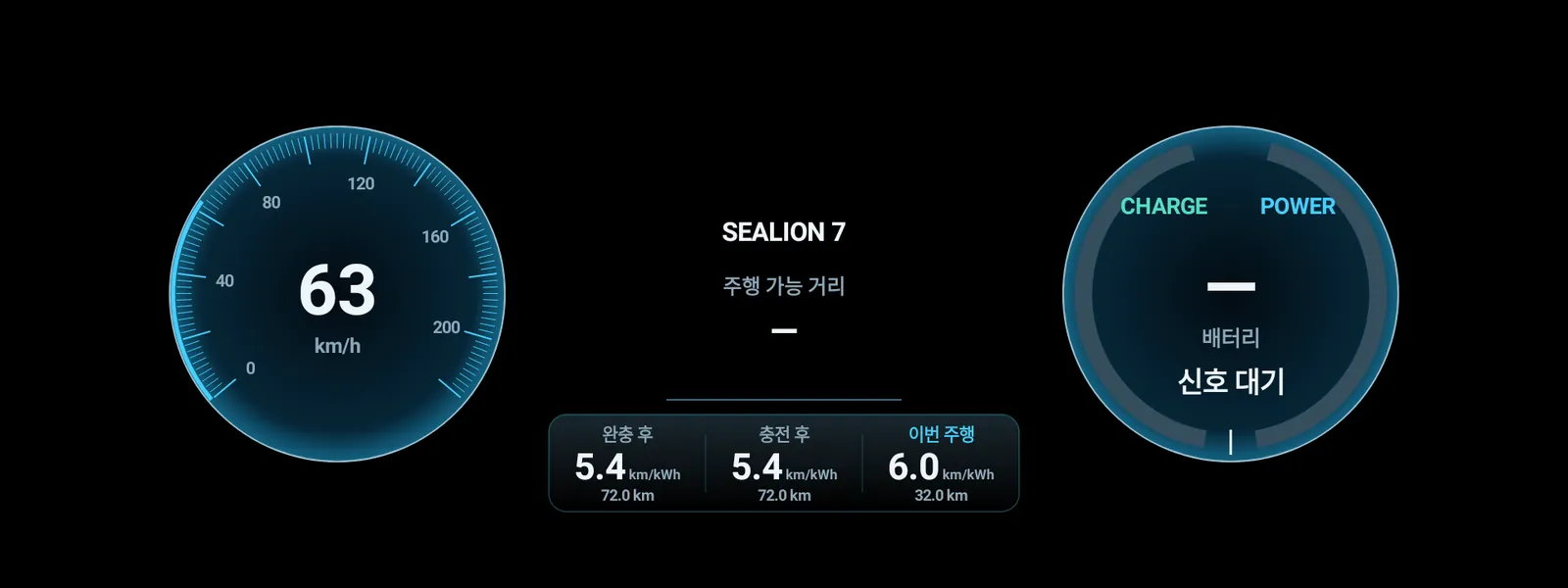
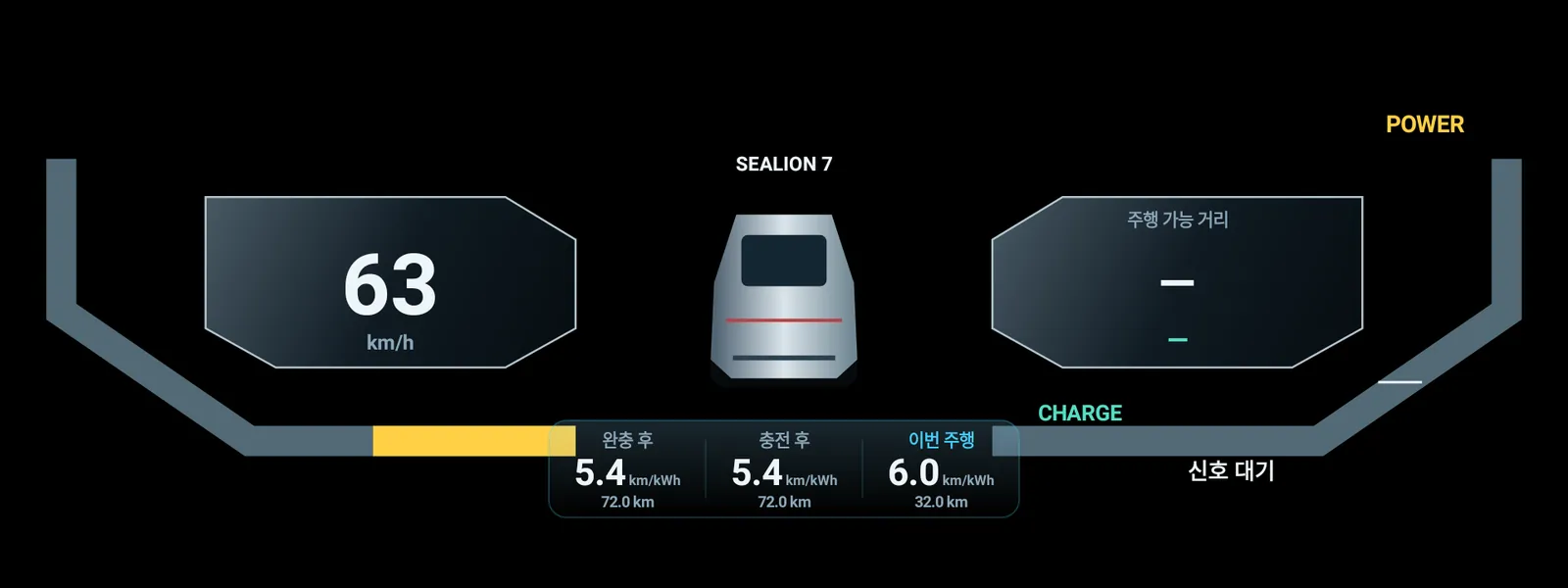
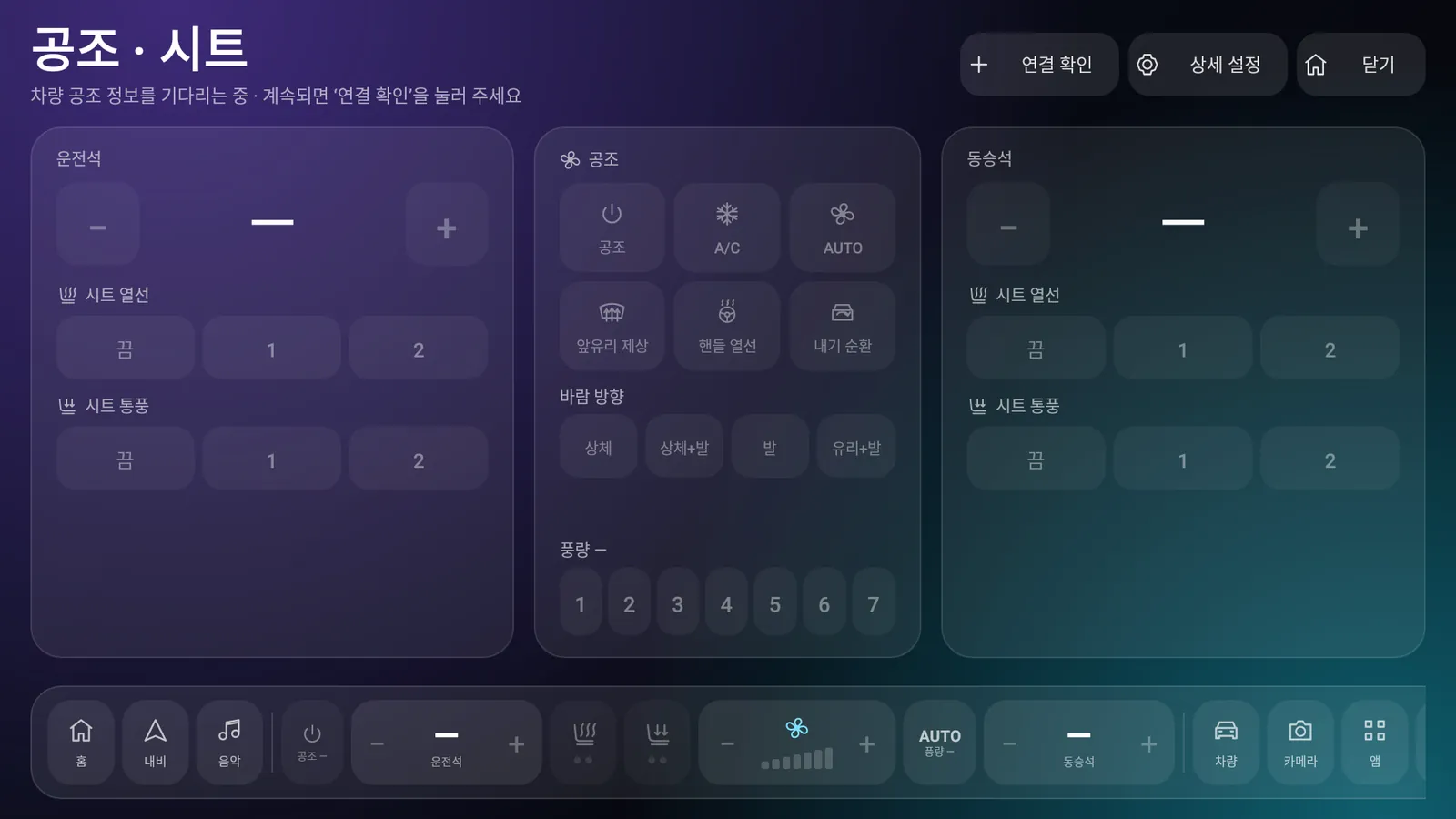
All screens are drawn by the real app code. They were drawn without a car, so some values such as the battery are empty or show ‘not received’.
Three apps, one car
Install only on the devices you need. Used together, they connect to each other.
Car display
A home launcher in place of the stock screen, with navigation, music, climate and cameras on one screen.
Android phone
Check your car, lock and run the climate remotely, unlock as you walk up, and watch dashcam recordings.
Galaxy Watch (Wear OS)
See the battery, lock state and climate on your wrist, and control them right there.
Features
The features you use most, easy to reach. What works depends on your car's firmware and permissions.
Get ready
Choose a device and follow the steps.
Download the Kai Home APK and copy it to a USB stick or somewhere the car can open.
Open the APK in the car's file manager and allow installation when asked.
The first launch opens a setup guide. Check permissions and the connection, then choose Kai as the home app.
Download the Kai Link APK on your Android phone. There is no iPhone app.
Open the file and allow ‘install unknown apps’ for your browser or file manager.
Link your BYD account to add the car, and allow activity, Bluetooth, nearby devices and background use.
The watch talks to the car through Kai Link on your phone, so finish the phone setup first.
Turn on wireless debugging in the watch's developer options and install the Kai Watch APK with an installer app on your phone.
Open ‘Galaxy Watch’ in Kai Link on the phone and follow the steps.
The car and phone apps check for new versions when they start, verify the file's signature and open Android's installer. Update instead of uninstalling to keep your settings.
Before you start
It is built for the SEALION 7's Android car display and needs Android 11 or later. What works depends on the car's firmware and permissions. Kai Link is for Android phones only.
Your car has to allow changing the default home app. Kai can try to set and keep itself as the default, but the car's firmware may not allow it.
The cameras, the head unit and the network must stay powered and the car must grant the permissions. Recording and remote video with the car off are not guaranteed yet.
The car has to send the distances and the departure signal. Without them, Kai never makes up distances or alerts.
Yes, if you update without uninstalling. Uninstalling or clearing the app's data means setting up again.
No sign-up is needed to download. This site has no ads or visitor tracking. The Q&A board stores only the name you give (optional) and your question. Features that need your car account are connected inside the app. See the privacy notice (Korean) for details.
Can't find your answer? Ask the developer News on Telegram
Download
Pick the app for your device. All free.
FOR YOUR CAR
Home launcher for the car
FOR YOUR PHONE
Android phone app
Galaxy Watch (Wear OS) app
Loading the latest version…
Update news on TelegramNew versions and what changed, first · t.me/bydlumi Open channel ›Support
Kai is made for free by one person in their spare time. The price of a coffee goes a long way toward the next update.